
Team News
Feb 18, 2026
SUPER SPEX v1: What We Learned Building AI Glasses for Tradespeople using Android XR
Super Spex are AI glasses for tradespeople: a hands-free interface to Super Engineer (our technical AI), delivered via audio plus a HUD. The Super Spex concept is to provide all the relevant AI tools a tradesperson might need to do their job better in a handsfree way and hopefully reduce the number of phones accidentally smashed on site!
Our team built and open-sourced a V1 prototype of Super Spex to stress-test Android XR in real tradespeople-based workflows—and to share working patterns with other Android XR developers. All code & documentation is available via the Super Spex GitHub Repo.
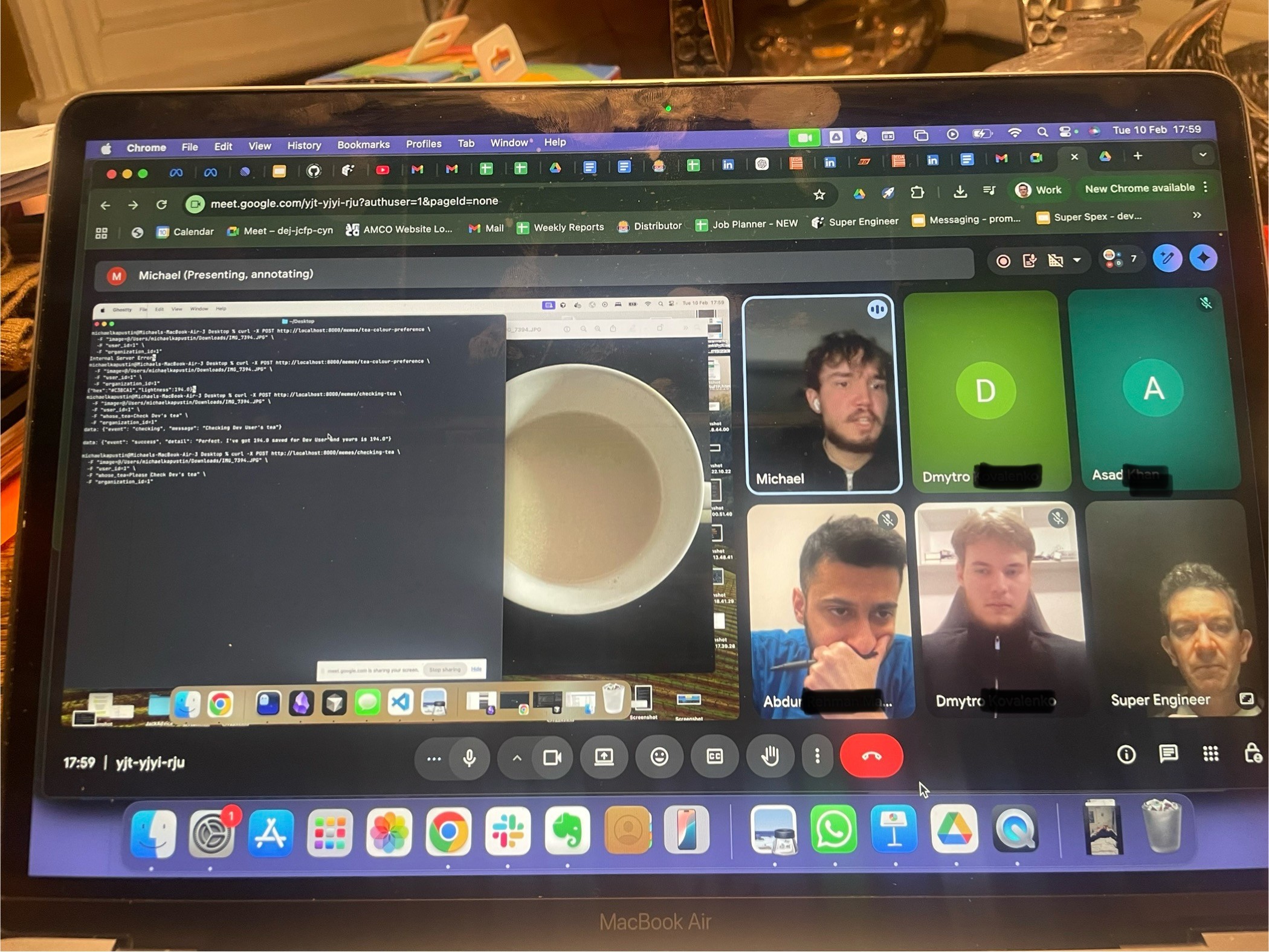
^ Our Spex team working on honing 'Tea Mode' - the world's first AI-powered tea-maker ;-)
Objectives
To date, the majority of Android XR development has been focused on AR Glasses, so we were entering fairly virgin territory with our focus on AI Glasses - which are distinct in capability from AR-heavy experiences.
We discovered quickly that AI-glasses constraints are very tight / limited, as you’re optimizing for quick capture, low cognitive load, and reliable audio/visual guidance rather than persistent 3D world mapping of AR.
Our 4 core project objectives out of the gate were:
Validate hands-free workflows for technicians: the phone is useful but the wrong form factor on site—people drop, smash, and juggle it while working. AI glasses should remove friction while still giving “expert help in the moment.”
Learn the Android XR stack by building: pairing, camera/mic access, and projection to a HUD, then document what worked.
Create a reusable “modes” framework: composable workflows that map to real tasks (identify equipment, ask for help, capture notes, call for backup).
Open-source early: so the wider community can fork proven patterns.
What we’ve delivered so far
Super Spex V1 is an AI-powered glasses companion app built with React Native (Expo) + TypeScript, with a Kotlin native module bridging into Jetpack XR. The architecture is explicitly “phone hub, glasses display.”
AI answers are streamed via Super Engineer, described in the repo as a Gemini-based, multi-agent RAG wrapper grounded in thousands of technical manuals.
The V1 feature set we’ve built out is broken down as follows”
XR Glasses Projection: project UI to connected XR glasses (Jetpack XR).
AI-Powered Modes: speech, camera capture, tagging, and AI answer streaming. Also, for fun we created ‘Tea Mode’ (more below).
Remote View Streaming: stream the glasses view to a web viewer using Agora RTC (two-way audio/video), with a small token server in
cloudflare-workers/.Web demo + cross-platform structure: platform-split files (
.web.ts/.ts) so the same codebase can run in the browser.Parking timer: a practical “don’t get ticketed” HUD timer plus phone notifications.
Experiencing the different ‘modes’
The main functionality of Super Spex are delivered via ‘modes’, which are essentially ‘workflows’ of specific Android XR (and third party services like Agora). Each mode is designed to address a specific Tradesperson’s need:
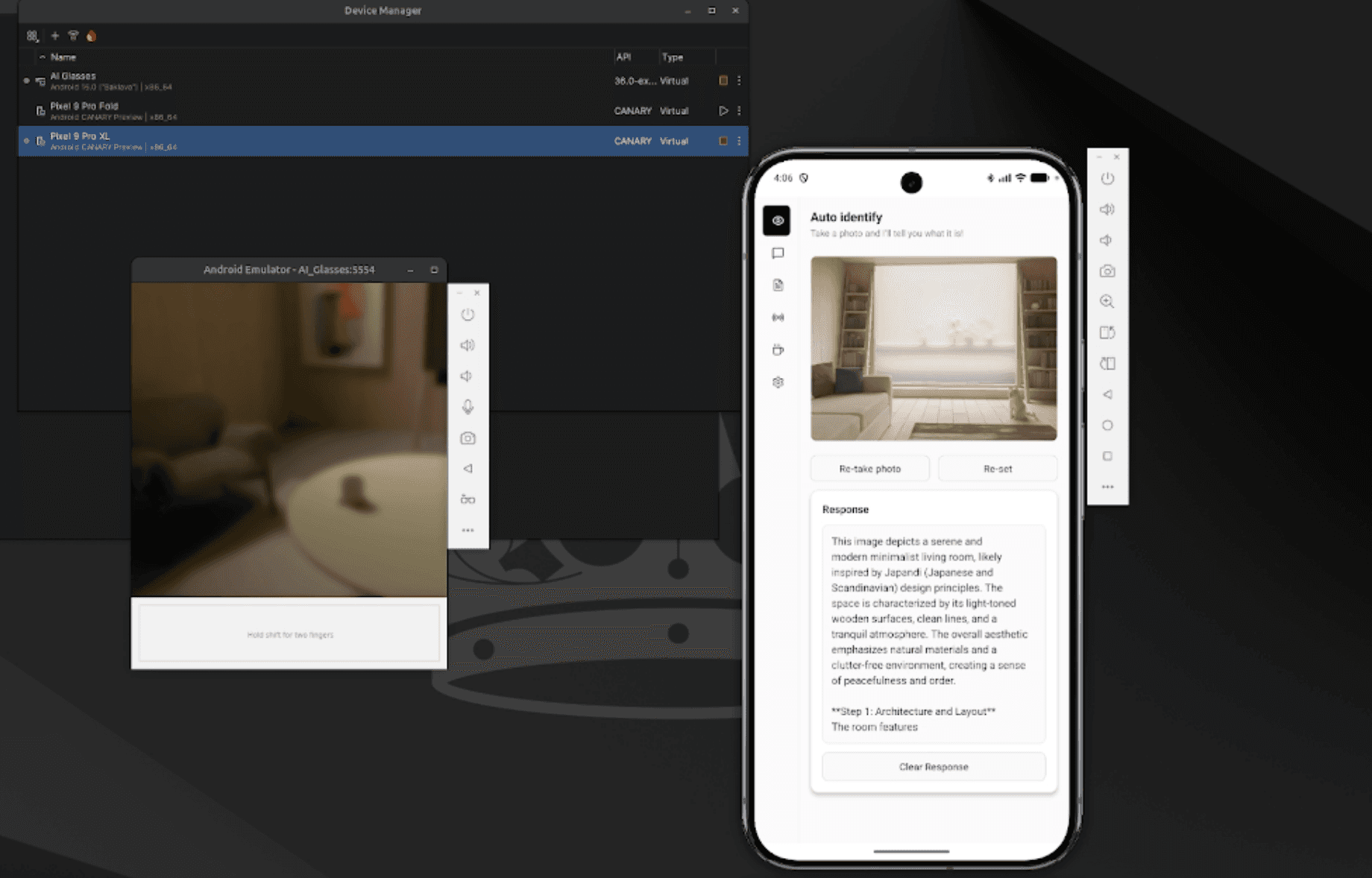
Identify: snap a photo of a piece of equipment to quickly identify what it is, and how it works
Help: snap a photo of something and ask Super Engineer for help with it - instructions of how to use it or how to fix it
Notes: take video or photo notes of your job with speech live transcribed as the user talks (and videos / photos captured and saved)
Live Stream: the user streams live video from the glasses to multiple people via a simple shareable link, and gets live audio back via the glasses. Remote fixes and instructions made easy.
Parking timer: never get a parking fine again! Set a timer, and get audio and HUD alerts.
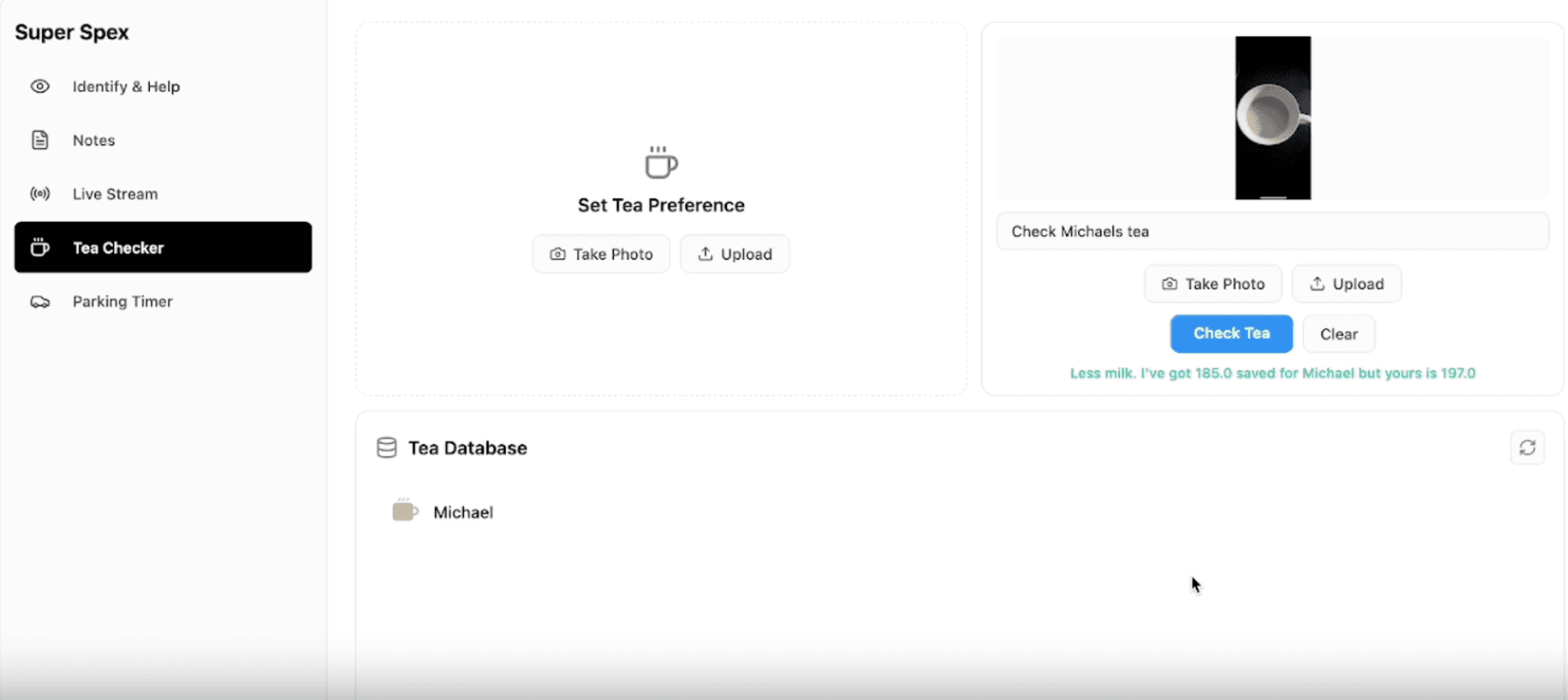
Tea maker mode: take a snap of the colour of your colleague’s tea, and let our AI colour match & give you guidance when you next make them a cuppa! Everyone hates a badly made cup of tea ;-)
For Android XR devs, arguably the most valuable code is the XR bridge and structure in modules/xr-glasses/android/… (connection management, Compose UI for glasses, projection, and streaming), plus the repo’s maintenance docs (XR projection, streaming, camera capture, speech recognition).
Technical challenges (Android XR in practice)
Our V1 prototyping validated the opportunity, and also highlighted the current realities within the XR dev space:
Documentation scarcity: getting projection and “device capability access” (camera/mic, HUD output) working took time because references were limited, so we embedded learnings directly in the codebase.
Emulator gaps (speech is the headline): the XR emulator lacks Google Services sign-in and on-device speech recognition, forcing backend transcription, which adds latency and a less smooth UX than real hardware.
“Connected” doesn’t mean “usable”: pairing via the platform glasses app / Bluetooth is easy; reliably using that pair is where most engineering time goes.
Performance/compute constraints: the XR emulator can be RAM-hungry (we saw ~22GB), and hardware acceleration/driver mismatch can cause slowdowns. We’ve now got good experience of how teams should set up dev rigs.
Keeping XR isolated: we leaned on process separation for XR activities (
:xr_process) to avoid destabilising React Native. Developing both at this point is important because of the lack of access to Android XR AI Glasses, but developing in parallel adds overhead.
What next?
V1 is the “line in the sand”: we’ve created and tested working modes, documented XR patterns, and delivered an open repo to the XR community. Next steps are about getting from prototype to field-ready:
Test on real Android XR Glasses device to specifically understand HUD legibility, audio quality, gesture/tap ergonomics, end-to-end latency.
Harden the workflow framework around the long-term product direction (Identify / Help / notes / stream)
Improve speech + streaming reliability by tightening local capture paths and making backend fallbacks explicit and observable.
Keep shipping in the open: share more XR recipes and “copy/pasteable” patterns for other Android XR teams.
If you’re building on Android XR and want a real, end-to-end reference (XR projection → camera/speech capture → AI answer streaming → remote support), the Super Spex Github repo is a great practical starting point.
We look forward to progressing Super Spex to the next level. We’re always happy to chat team@superengineer.app ;-)
Blogs